The Death of "Cloud-First" Dogma
For the past decade, early-stage software founders were sold a seductive narrative: build cloud-native from day one.
Sign up for AWS or Google Cloud. Provision a managed Postgres database on Amazon RDS ($65/mo base + storage IOPS). Put it behind an Application Load Balancer ($28/mo). Run your containerized tasks on ECS Fargate ($80/mo). Add a NAT Gateway for private subnet outbound traffic ($35/mo + bandwidth egress). Configure CloudWatch logs, Redis ElastiCache ($45/mo), and Route 53.
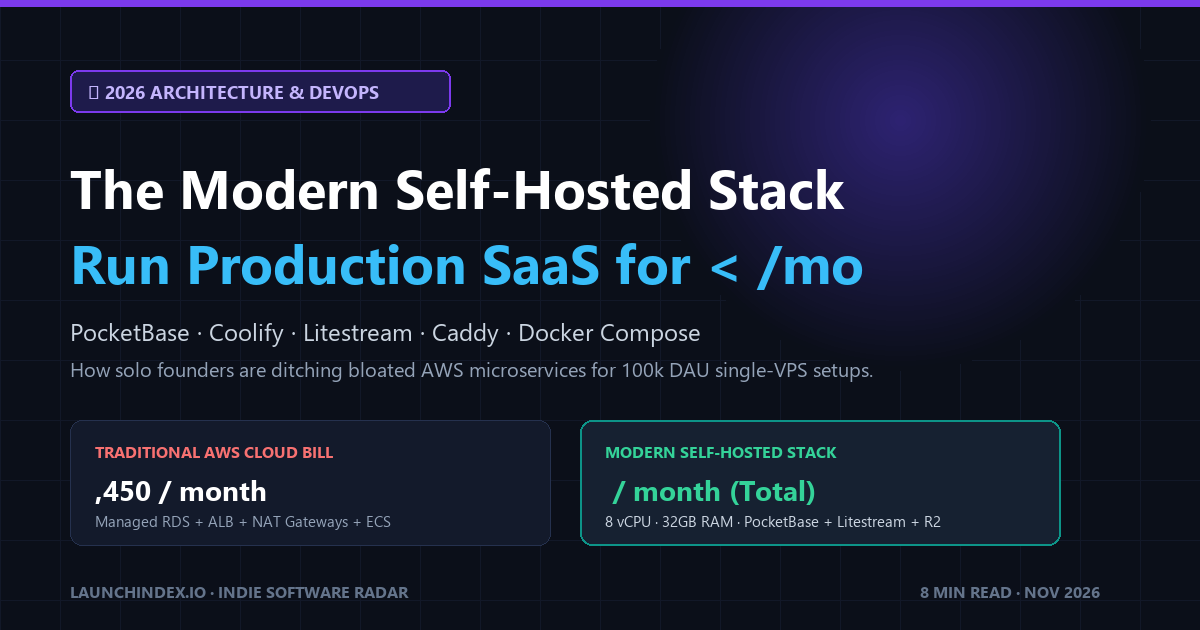
Before your product even acquires its first 100 paying customers, your baseline AWS invoice sits at $1,400 to $2,800 every single month.
And for what?
- Network latency across availability zones adding 15ms to 40ms per query.
- Connection pooling exhaustion when serverless lambdas flood your database.
- Massive architectural overhead spending weekends debugging IAM policies, VPC peerings, and Terraform drift instead of shipping features.
In late 2026, the pendulum has decisively swung back. Driven by radical hardware improvements (AMD EPYC Genoa and Zen 4 NVMe servers) and a renaissance of lightweight, single-binary open-source developer tooling, solo founders and bootstrapped engineering teams are achieving 100,000+ monthly active users on a single $38/month dedicated VPS.
This movement is not about nostalgia; it is an unapologetic, cold-blooded efficiency play.
Here is the exact architectural blueprint, toolchain, and Docker configuration for the modern self-hosted stack in late 2026.
The Economic Comparison: Managed Cloud vs. Modern Bare-Metal
Let us look at what $40 buys you in 2026 across both hosting paradigms:
| Metric | Managed Cloud (AWS / GCP / Azure) | Dedicated VPS (Hetzner / OVH / Scaleway) |
|---|---|---|
| Monthly Cost | $1,450 – $2,200 / month | $38 – $48 / month |
| Compute | 2 vCPUs (t4g.medium burstable) | 8 Dedicated AMD EPYC vCPUs |
| RAM | 4GB shared memory | 32GB DDR5 ECC RAM |
| Storage | 50GB gp3 EBS (throttled IOPS) | 500GB Gen4 PCIe NVMe SSD |
| Egress Bandwidth | $0.09 / GB (punitive tax) | 20TB Included (1 Gbps port) |
| Database Latency | 12ms – 35ms (TCP over network) | < 0.1ms (Embedded in-memory WAL) |
| Operational Hours / Wk | 6 – 10 hours debugging IAM/VPC | < 30 minutes (Single Docker Compose) |
When you run an embedded database on local PCIe NVMe, disk read operations execute in microseconds. You eliminate TCP handshake latency, serialization overhead, and connection pool saturation in a single architectural stroke.
The 5 Pillars of the 2026 Self-Hosted Toolchain
A bulletproof self-hosted stack must satisfy four non-negotiable criteria:
- Zero Vendor Lock-In: You must be able to migrate the entire stack to another cloud provider in under 5 minutes with a single tarball or Git pull.
- Autonomous SSL & Ingress: Zero manual certificate renewals or reverse proxy headaches.
- Continuous Disaster Recovery: Point-in-time recovery to cheap off-site object storage (Cloudflare R2 / Backblaze B2).
- Developer Experience: Git-push deployments with instant preview URLs.
Here are the five battle-tested tools forming the standard 2026 stack:
1. Ingress & Reverse Proxy: Caddy 2
Forget complex NGINX configurations and certbot cron jobs. Caddy compiles to a single binary with native HTTP/3, automatic TLS generation via Let's Encrypt / ZeroSSL, and automatic gzip/zstd compression. A 10-line Caddyfile replaces 200 lines of legacy Nginx boilerplate.
2. The Core Application & Realtime Database: PocketBase
Instead of managing separate services for PostgreSQL, Redis pub/sub, authentication microservices, and file storage, the breakout tool of 2026 is PocketBase.
- Single Binary Architecture: Written in Go, bundling SQLite with WAL (Write-Ahead Logging) mode.
- Sub-Millisecond Queries: In-process database reads execute in less than 0.2ms.
- Built-in Realtime Subscriptions: Native Server-Sent Events (SSE) handling up to 10,000 concurrent client streams without Redis.
- Integrated Admin Dashboard: Visual table editor, schema migrations, and user access management out of the box.
Check out our full breakdown and community telemetry on the PocketBase Directory Profile.
3. Continuous Off-Site Backups: Litestream
The traditional criticism of SQLite was: "What happens if your server SSD dies?"
Litestream completely solved this problem. Litestream runs as a lightweight daemon alongside PocketBase. It continuously streams every SQLite Write-Ahead Log frame in real time to an S3-compatible bucket (such as Cloudflare R2, which charges $0 egress fees).
If your VPS is destroyed by lightning, restoring a 10GB database to the exact second of failure takes less than 30 seconds:
litestream restore -o /pb_data/data.db s3://my-backup-bucket/db
4. Self-Hosted PaaS & Git-Push Deployments: Coolify
If you love the developer experience of Vercel or Render but refuse to pay their 400% markup on compute, Coolify is the open-source answer. Coolify turns any bare Ubuntu VPS into a self-hosted PaaS. You connect your GitHub repository, define environment variables, and enjoy automated preview deployments, database provisioning, and health monitoring.
5. Privacy-First Analytics: Umami
Google Analytics 4 is bloated, slow, and non-compliant with strict GDPR regulations. Umami runs in a tiny Docker container (< 40MB RAM), collects zero personally identifiable information, requires no cookie banners, and provides real-time pageview and conversion metrics via a clean dashboard.
The Production Blueprint: Unified docker-compose.yml
Here is the battle-tested, production-ready docker-compose.yml unifying Caddy, PocketBase, Litestream, and Umami into an isolated internal Docker bridge network:
version: "3.8"

networks:
  production_net:
    driver: bridge

volumes:
  pb_data:
  caddy_data:
  caddy_config:
  umami_db_data:

services:
  # --------------------------------------------------------------------------
  # 1. Reverse Proxy & Auto-HTTPS
  # --------------------------------------------------------------------------
  caddy:
    image: caddy:2-alpine
    container_name: caddy_edge
    restart: unless-stopped
    ports:
      - "80:80"
      - "443:443"
      - "443:443/udp" # HTTP/3 QUIC
    volumes:
      - ./Caddyfile:/etc/caddy/Caddyfile:ro
      - caddy_data:/data
      - caddy_config:/config
    networks:
      - production_net
    depends_on:
      - pocketbase
      - umami

  # --------------------------------------------------------------------------
  # 2. PocketBase Backend & Real-time Core
  # --------------------------------------------------------------------------
  pocketbase:
    image: ghcr.io/muchobien/pocketbase:latest
    container_name: pocketbase_api
    restart: unless-stopped
    command:
      - /pocketbase/pocketbase
      - serve
      - --http=0.0.0.0:8090
      - --dir=/pb_data
      - --encryptionEnv=PB_ENCRYPTION_KEY
    environment:
      - PB_ENCRYPTION_KEY=${PB_ENCRYPTION_KEY}
    volumes:
      - pb_data:/pb_data
    networks:
      - production_net

  # --------------------------------------------------------------------------
  # 3. Continuous SQLite WAL Streaming Backup (Litestream)
  # --------------------------------------------------------------------------
  litestream:
    image: litestream/litestream:latest
    container_name: litestream_replicator
    restart: unless-stopped
    volumes:
      - pb_data:/pb_data
      - ./litestream.yml:/etc/litestream.yml:ro
    environment:
      - LITESTREAM_ACCESS_KEY_ID=${R2_ACCESS_KEY_ID}
      - LITESTREAM_SECRET_ACCESS_KEY=${R2_SECRET_ACCESS_KEY}
    command: replicate
    networks:
      - production_net

  # --------------------------------------------------------------------------
  # 4. Lightweight Web Analytics (Umami)
  # --------------------------------------------------------------------------
  umami:
    image: ghcr.io/umami-software/umami:postgresql-latest
    container_name: umami_analytics
    restart: unless-stopped
    environment:
      - DATABASE_URL=postgresql://umami:${UMAMI_DB_PASSWORD}@umami_db:5432/umami
      - DATABASE_TYPE=postgresql
      - APP_SECRET=${UMAMI_APP_SECRET}
    networks:
      - production_net
    depends_on:
      - umami_db

  umami_db:
    image: postgres:16-alpine
    container_name: umami_db
    restart: unless-stopped
    environment:
      - POSTGRES_USER=umami
      - POSTGRES_PASSWORD=${UMAMI_DB_PASSWORD}
      - POSTGRES_DB=umami
    volumes:
      - umami_db_data:/var/lib/postgresql/data
    networks:
      - production_net
And your ultra-clean Caddyfile:
# API & PocketBase Admin Dashboard
api.yourdomain.com {
    reverse_proxy pocketbase:8090 {
        header_up X-Real-IP {remote_host}
        header_up X-Forwarded-Proto {scheme}
    }
}

# Privacy Analytics
analytics.yourdomain.com {
    reverse_proxy umami:3000
}
Real-World Benchmarks: How Far Does This Scale?
The most common objection engineers raise when evaluating embedded SQLite architectures is:
"Won't SQLite bottleneck on concurrent writes?"
In 2026, real-world benchmarks on modern hardware show:
- Read Throughput: Over 38,000 requests per second on a $38 Hetzner server with 8 vCPUs. Because SQLite in WAL mode reads directly from in-memory mapped pages, read operations bypass the TCP stack entirely.
- Write Throughput: Up to 4,500 write transactions per second with WAL mode enabled. For 99.9% of SaaS businesses, you will reach $500k to $2M in Annual Recurring Revenue long before your application generates 4,500 write events per second.
- RAM Footprint: The entire stack running Caddy, PocketBase, Litestream, and Umami consumes under 450MB of RAM at idle, leaving over 31GB of system memory available for OS page caching and application workers.
When Should You Migrate to Cloud Microservices?
Self-hosting is not a religion; it is an engineering trade-off. You should only migrate away from this single-VPS architecture when:
- Global Multi-Region Active-Active Writes: Your product requires sub-10ms write latency in Tokyo, Frankfurt, and Virginia simultaneously (consider Spanner or CockroachDB).
- Compliance Mandates: Enterprise contracts explicitly contractually mandate SOC2 Type II isolation with AWS-certified KMS hardware security modules.
- Team Specialization: You have more than 25 backend engineers where individual microservice ownership outweighs infrastructure cost.
If you are a solo founder, indie maker, or a seed-stage team of 5 engineers, the modern self-hosted stack gives you superpowers. It keeps your burn rate near zero, maximizes your runway, and gives you lightning-fast sub-millisecond query performance.
Explore Verified Self-Hosted Tools on LaunchIndex
Looking for more self-hosted alternatives, dev utilities, and open-source infrastructure? Browse our curated cohorts: