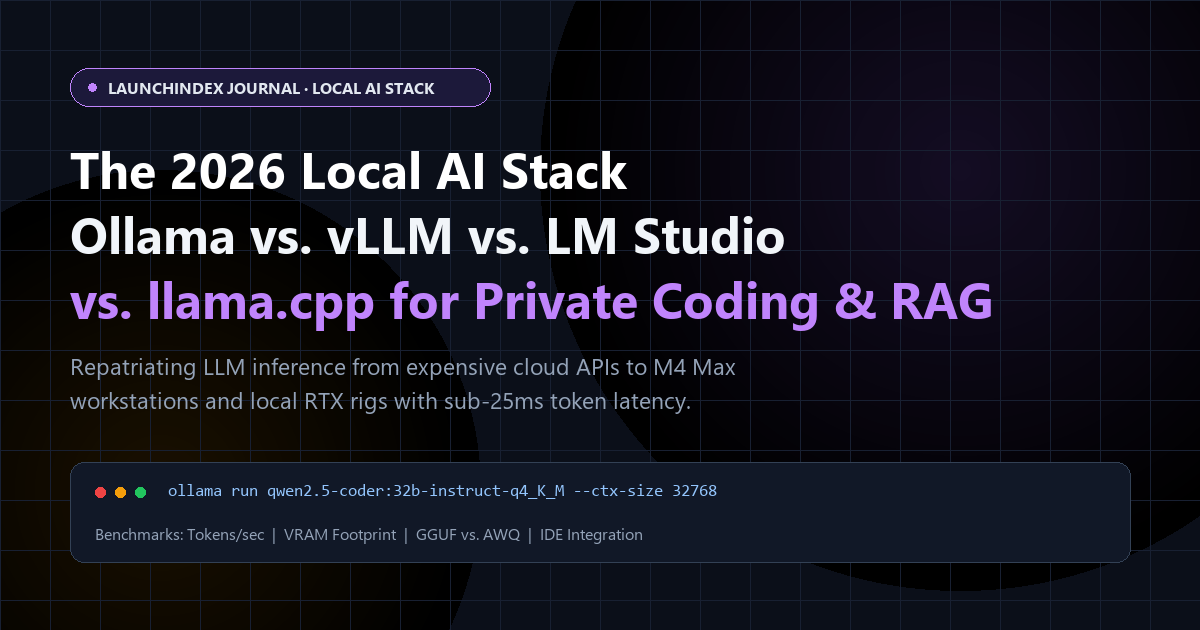
The Great Inference Repatriation of 2026
Two years ago, running a local Large Language Model on your laptop felt like a novelty science project: sluggish token generation, broken tool calling, and models that hallucinated basic TypeScript syntax.
In late 2026, local AI inference has crossed the production threshold.
Three converging hardware and algorithmic shifts triggered a massive migration of developers from metered cloud APIs back to local workstations and self-hosted GPU nodes:
- Hyper-Dense 14B–32B Coding & Reasoning Models: Open-weight models (such as Qwen 2.5/3 Coder, DeepSeek-R1/V3 distills, and Llama 3.3/4 variants) now rival proprietary frontier models on repository-level refactoring, SQL generation, and unit test synthesis.
- Unified Memory & Consumer VRAM Abundance: Apple Silicon M4 Max/Ultra machines (64GB–192GB unified RAM at >540 GB/s bandwidth) and dual-RTX Linux workstations allow engineers to hold 32B–70B models plus a 64k context window entirely in memory.
- Zero-Data-Exfiltration Mandates: Enterprise security teams and privacy-conscious founders refuse to stream proprietary source code or customer PII to third-party cloud APIs.
If you are building a local AI stack in 2026, four runtime engines dominate the ecosystem: Ollama, vLLM, LM Studio, and llama.cpp. Here is how they compare under real engineering workloads.
Head-to-Head Comparison: The Big 4 Local Runtimes
| Dimension | Ollama | llama.cpp (llama-server) |
LM Studio | vLLM |
|---|---|---|---|---|
| Primary Use Case | Frictionless CLI & local daemon for dev tools | Ultra-lightweight C/C++ engine & edge embedding | Visual desktop workbench & model exploration | High-throughput multi-user production serving |
| Native Format | GGUF (Modelfile wrapper) |
GGUF |
GGUF + MLX (macOS native) |
Safetensors, AWQ, GPTQ, FP8 |
| Continuous Batching | Parallel request support (via llama.cpp) | Yes (--parallel) |
Yes (Local server mode) | Industry SOTA (PagedAttention) |
| Apple Silicon (Metal/MLX) | Excellent (Metal) | Excellent (Metal) | Best-in-Class (Native MLX + Metal) | Experimental / Linux CUDA preferred |
| OpenAI API Compatibility | Built-in (/v1/chat/completions) |
Built-in (llama-server) |
Built-in | 100% Spec-Complete + Tool Calling |
| License | MIT | MIT | Free Desktop App (Proprietary UI) | Apache-2.0 |
1. Ollama: The Docker-Style Standard for Developer Tooling
Ollama won the developer ergonomics war by copying Docker's exact mental model (ollama pull, ollama run, ollama ps). Almost every open-source coding extension, MCP server, and local RAG app supports Ollama out of the box.
Pro Configuration Tip: Stop Running Default 2,048 Context!
By default, many Ollama models initialize with a conservative 2k or 4k context window to save VRAM. If you connect Cursor, Cline, or Continue.dev to Ollama without increasing num_ctx, your coding agent will silently truncate your files!
Create a custom Modelfile to lock in a 32k context window with Flash Attention and KV-cache quantization:
FROM qwen2.5-coder:32b-instruct-q4_K_M

# Expand context window to 32,768 tokens for repo-level coding
PARAMETER num_ctx 32768
PARAMETER temperature 0.15
PARAMETER top_p 0.9
And launch your Ollama daemon with 8-bit KV cache quantization so a 32k context window consumes half the VRAM:
export OLLAMA_FLASH_ATTENTION=1
export OLLAMA_KV_CACHE_TYPE="q8_0"
export OLLAMA_NUM_PARALLEL=2
ollama serve
2. llama.cpp (llama-server): Maximum Control, Zero Overhead
Under the hood, Ollama is a Go management wrapper around ** Georgi Gerganov's llama.cpp**. When you need bleeding-edge quantization formats (like IQ4_XS or Q5_K_M), speculative decoding, or grammar-constrained JSON output without daemon overhead, running llama-server directly is unbeatable:
# Launch llama-server with Speculative Decoding (Draft model accelerates generation by 1.8x)
./llama-server   -m ./models/qwen2.5-coder-32b-q4_k_m.gguf   -md ./models/qwen2.5-coder-1.5b-q8_0.gguf   --ctx-size 32768   --flash-attn   --cache-type-k q8_0   --cache-type-v q8_0   --port 8080
Why Speculative Decoding matters: By pairing a 32B target model with a tiny 1.5B draft model (-md), the 1.5B model rapidly guesses boilerplate code tokens (imports, brackets, type annotations) and the 32B model verifies them in a single forward pass—boosting coding throughput from 22 tok/s to over 41 tok/s with zero quality loss.
3. LM Studio: The Apple Silicon MLX Powerhouse
For macOS engineers on M2/M3/M4 Max laptops, LM Studio has evolved far beyond a GUI chat app. Its killer advantage in 2026 is native integration with Apple's MLX framework alongside llama.cpp.
On Apple Silicon, MLX weights frequently achieve 15% to 25% faster prompt-processing (time-to-first-token) than standard Metal GGUF backends, making large codebase indexing in RAG pipelines noticeably snappier.
4. vLLM: When You Move From Workstation to Self-Hosted Team Cluster
While GGUF engines shine for single-user concurrency (1–2 simultaneous streams), they hit a memory-bandwidth wall when 15 engineers on your team query the model simultaneously.
If you are deploying a shared internal AI server on an NVIDIA RTX 4090/5090 rig or a rented L40S/A100 box, vLLM is the undisputed production standard:
- PagedAttention: Eliminates KV-cache memory fragmentation, increasing concurrent throughput by 4× to 8× over naive serving.
- Prefix Caching (
--enable-prefix-caching): Automatically caches shared system prompts and repository context across multi-turn coding agent calls.
vllm serve Qwen/Qwen2.5-Coder-32B-Instruct-AWQ --quantization awq --max-model-len 32768 --enable-prefix-caching --gpu-memory-utilization 0.92 --port 8000
Explore the Full Local AI Ecosystem on LaunchIndex
Building on local models or launching a privacy-first AI tool?
- Browse verified runtimes, vector stores, and agent UIs in our Local AI & Runtime Tooling Directory.
- Compare local and self-hosted tools side-by-side on the LaunchIndex Tool Comparison Engine.
- Submit your Local AI tool to the weekly cohort to get discovered by thousands of self-hosting engineers.